
Create and Edit Batch File
A batch file can be easily created by saving the calculation conditions either before the calculation or after the calculation is completed. User can save the calculation conditions as a batch file before performing the calculation as shown in Figure 10.1 , or after the calculation as shown in Figure 10.2 In fact, Pandat creates a batch file for each calculation automatically and save it in the folder where the workspace is saved.
For more examples of batch files, please refer to Pandat example folder: "..\Program Files\CompuTherm LLC\Pandat 2026\Pandat 2026 Examples" or Pandat Example book folder: "..\Program Files\CompuTherm LLC\Pandat 2026\Pandat 2026 Example book"
Since a batch file is a text file using xml language, it can be viewed and edited by any text editor. However, all keywords and value in the batch file are highlighted in Pandat text editor as shown in the Figure 10.3, which make it more efficient for the user to edit the batch file. User can open a batch file in Pandat text editor by using “open file”, or simply drag and drop the batch file into Pandat main window. Again, it should point out that user does not need to remember the batch file formats, instead one may create a batch file of certain type of calculation through user interface, then modify the calculation condition through editing a batch file as needed.
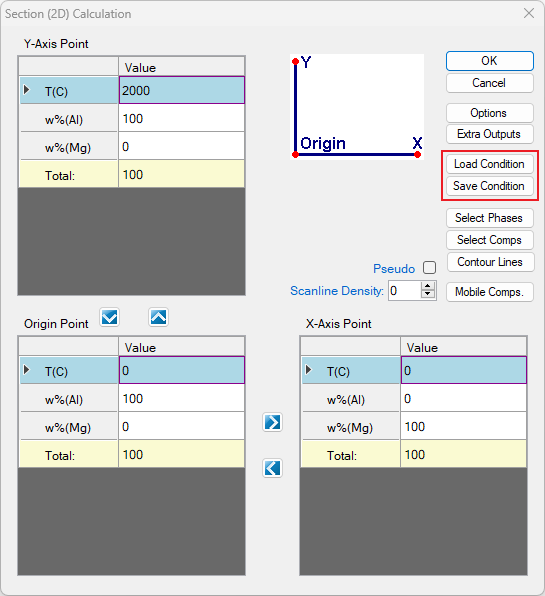
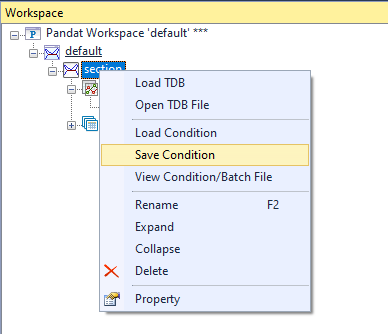
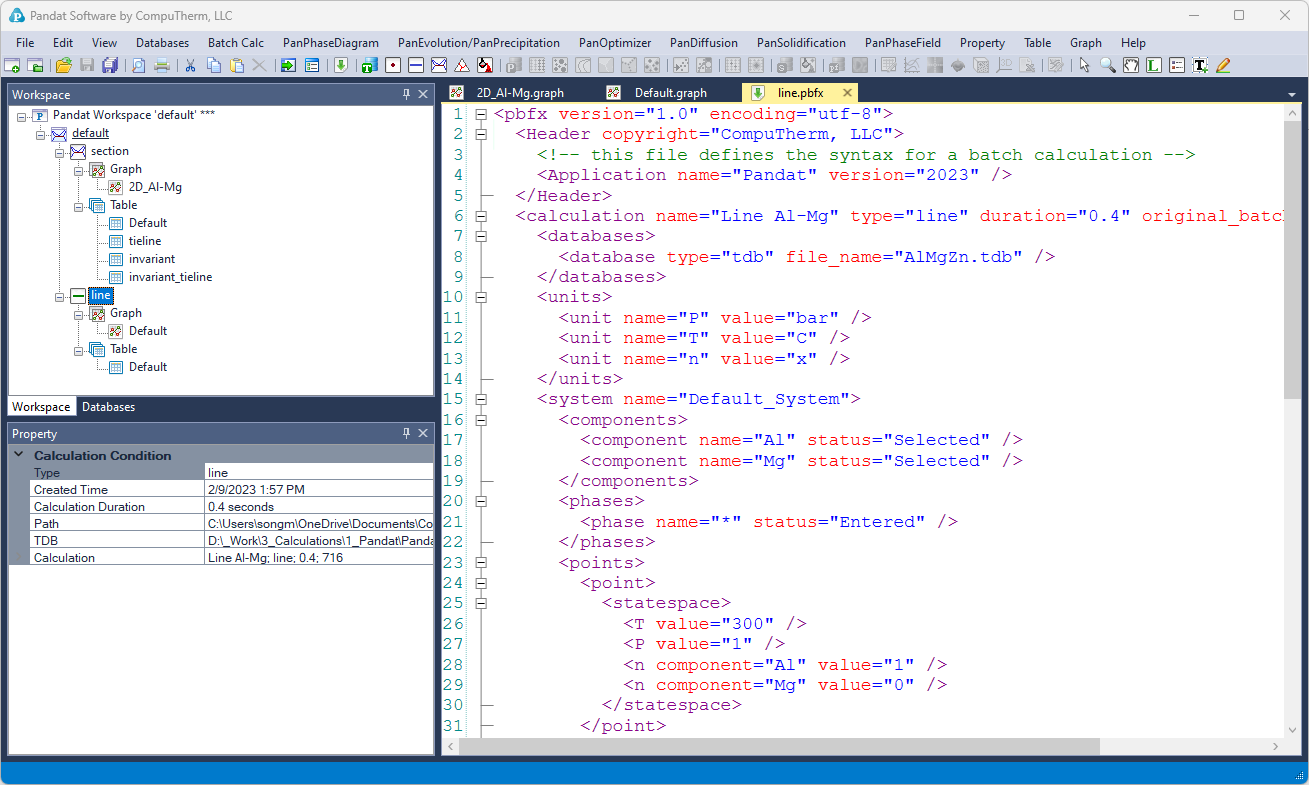
Figure 10.3: View and edit batch file in the Pandat text editor