
Example 1.24: High Throughput Calculation (HTC): Random Compositions
Purpose: Learn to run high throughput calculation by importing alloy Compositions.
Module: PanPhaseDiagram
Thermodynamic Database: Al_Demo.rtdb
Calculation Procedures:
- Load Al_Demo.rtdb following the procedure in Pandat User’s Guide: Load Database, and select all three components;
- Start the HTC function from the menu "Batch Calc → High Throughput Calculation (HTC)" Then choose “solidification” as calculation type.
- Check the “Import Alloys” box at the solidification simulation popup window, and then click the “Import” button to import the pre-prepared alloy composition file (Example_#1.24_alloys.txt).
- Click the “Run HTC” button perform HTC simulations
- Save the workspace of the HTC results for further analysis as mentioned in Example 1.23: High Throughtput Calculation (HTC): Pattern Compositions.
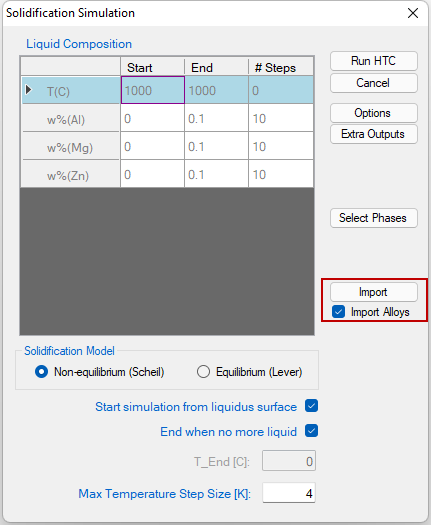
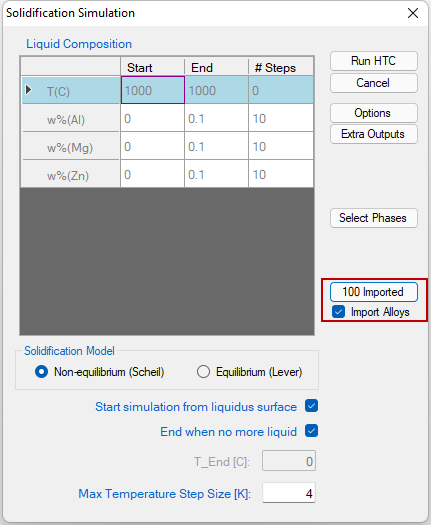
Figure 1.24.1: HTC solidification dialogs before (left) and after (right) import alloy composition file
Please refer to the Pandat User’s Guide: Alloy Composition Setup for detail information of preparing the alloy composition file.