
Numerical Derivative
The derivative  can be calculated numerically from the two columns of Y and Z. The operator for numerical derivative is “//”, double slashes. The numerical derivative of is written in the form of “Y//Z” as the column name. Only one numerical derivative operator is allowed in one column. In other words, user cannot type in “Y//Z//X”.The derivative “Y//Z” will be parsed into three columns in the new table: “Y”, “Z” and “Y//Z”, which makes it easy for the user to view the original data set “Y”, “Z” and choose to plot either vs Z or vs Y.
The example given here is to find the “effective heat capacity” of the system during solidification (H_tot//T). A system of Al-Mg-Zn is chosen and the composition is shown in Figure 3.78 After Scheil simulation is done, a new table is created with the definition of the column names shown in Figure 3.79. Figure 3.80 is the newly generated table. Select the columns “T” and “H_tot//T”, we have the  vs T diagram as in Figure 3.81 This diagram shows the effective heat capacity change during the solidification by Scheil simulation. There are two peaks in Figure 3.81 , which represent roughly the phase transformation from liquid to Hcp+γ and that from liquid to Hcp + τ, respectively.
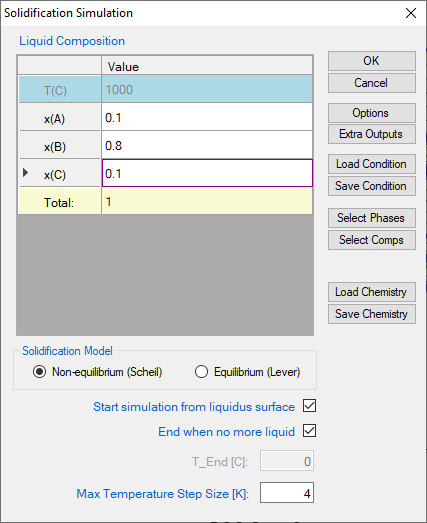
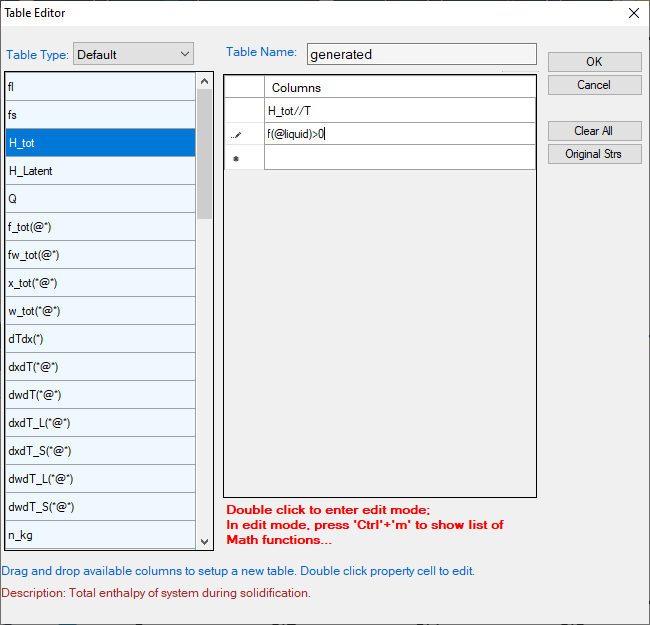
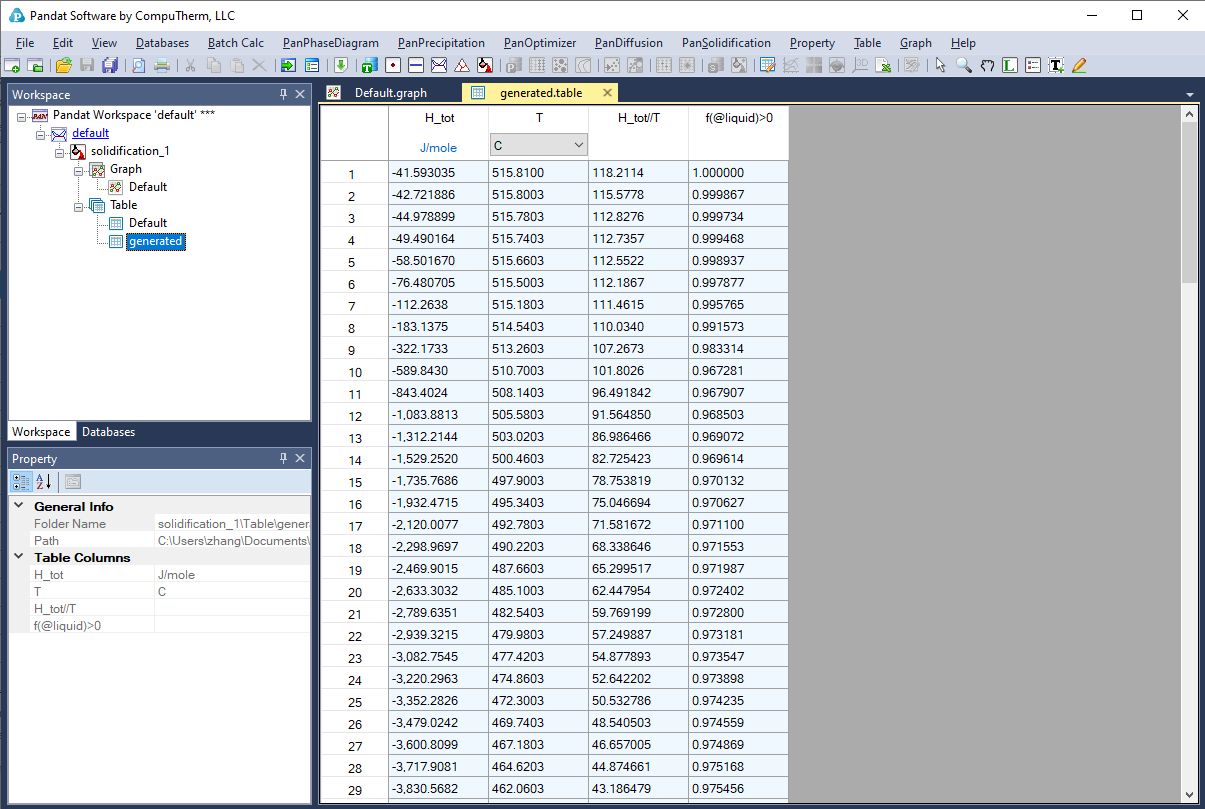
Figure 3.80: The table for the numerical derivative of H_tot with respect to Temperature.
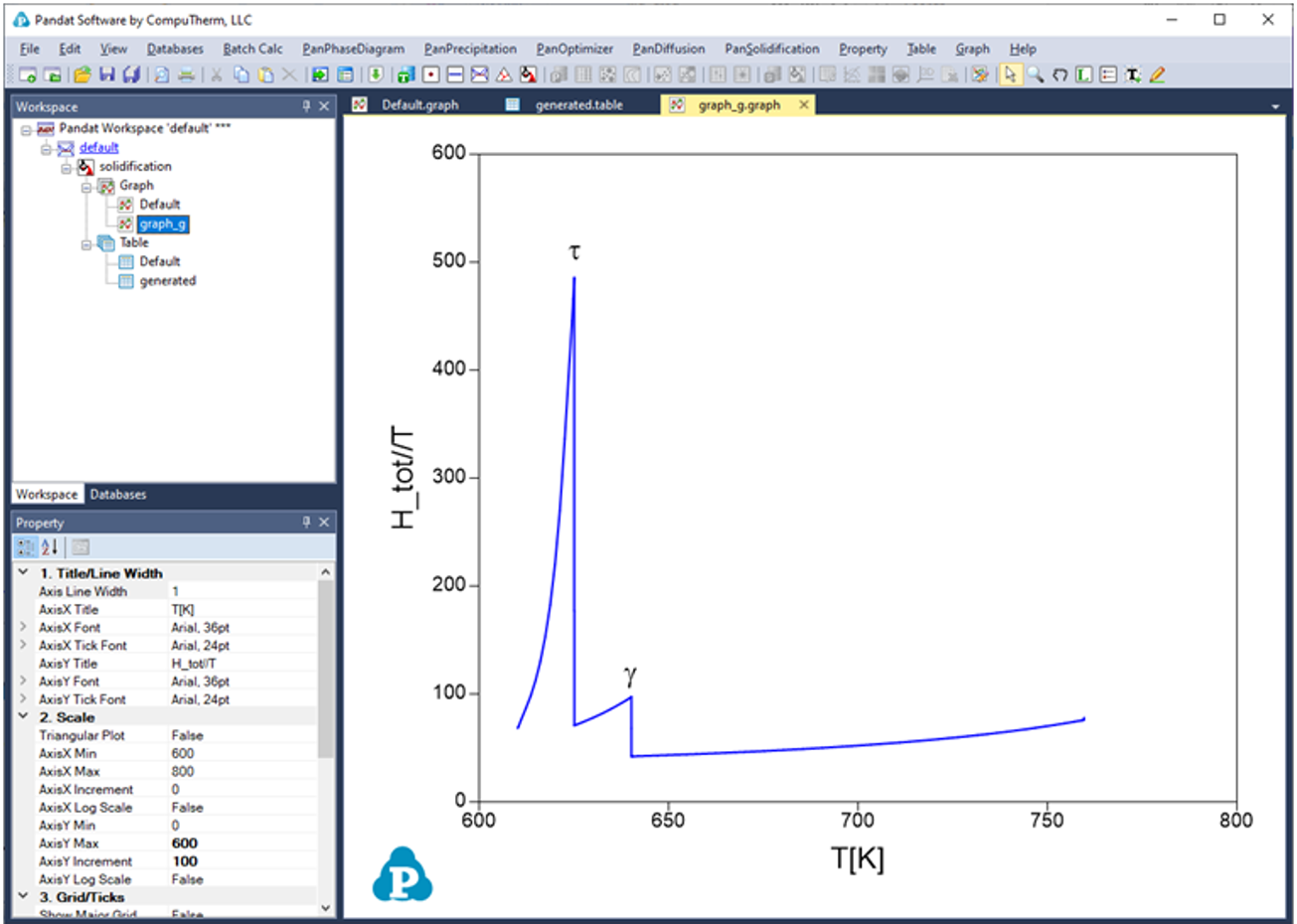
Figure 3.81: Plot of effective heat capacity change during the solidification