
Functions
The major functions included in the PanOptimizer menu are shown in Figure 4.1.
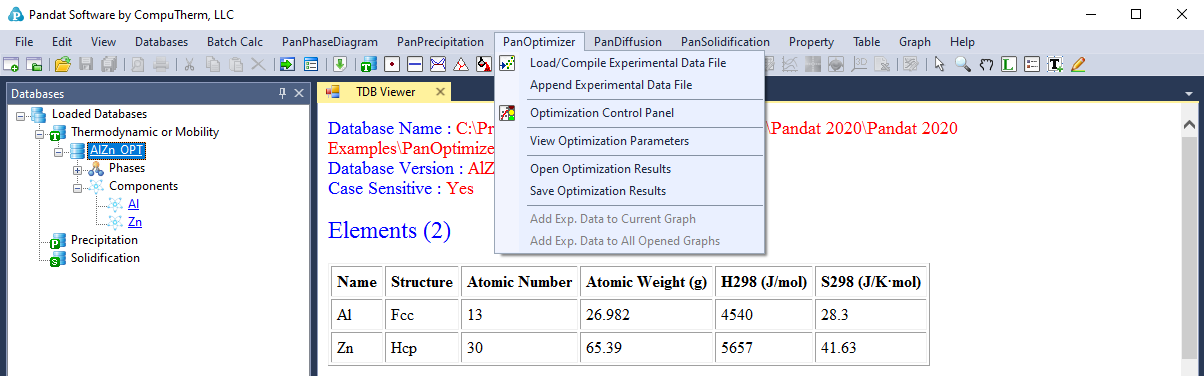
Figure 4.1: The PanOptimizer Menu
The shortcut of the three commonly used functions Load/Compile Experimental File, and Optimization Control Panel are also displayed in the Toolbar as shown in Figure 4.2.

Figure 4.2: PanOptimizer toolbar
The functionality of each function is given below:
- Load/Compile Experimental File: Load/Compile experimental data file for model parameter optimization
- Append Experimental File: Append more experimental data from different data file
- Optimization Control Panel: Allow user to set boundaries for the model parameters to be optimized, select experimental data to be used, and assign weight to each set of experimental data
- View Optimization Parameters: View/Edit model parameters to be optimized
- Open Optimization Results: Open the saved intermediate optimization results including the model parameters and experimental data
- Save Optimization Results: Save the intermediate optimization results during the optimization process including the model parameters and experimental data