
Example 5.3: Hot Cracking Susceptibility Map of Al-Cu-Mg at Al-Corner
Purpose: In the Example 5.2, users have learned how to obtain the crack susceptibility index (CSI) value of a single alloy under certain solidification conditions. In this example, users will learn to use High Throughput Calculation (HTC) calculations to obtain a susceptibility index map in Al-Cu-Mg ternary system.
Module: PanSolidification
Thermodynamic and Mobility Database: Al_Demo.rtdb
Kinetic Parameters Database: Al_Alloys.sdb
Calculation Procedures:
- Create a workspace and select the PanSolidification module. Before calculation, save the workspace in a user assigned folder different from the default workspace. The HTC calculation results will be saved automatically under this folder. (Detailed description also in the Pandat User’s Guide: Workspace;
- Load Al_Demo.rtdb through menu "Database → Load TDB or PDB" or by click icon
 , and then select Al, Cu and Mg three components;
 - Load SDB file Al_Alloys.sdb through menu "PanSolidification → Load SDB" or by click icon
 , select the available alloys: Al alloys;
 - Start HTC function through menu "Batch Calc → High Throughput Calculation (HTC)";
- Choose calculation type from the drop-down list of HTC pop-up window and select “pan_solidification” as shown in Figure 5.3.1;
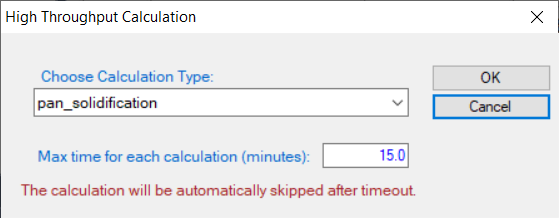
Figure 5.3.1: Dialog to choose calculation type of HTC in PanSolidification
- Define the compositional space for HTC simulation. The composition range is set to 0-5 wt.% Cu and 0-5 wt.% Mg, and mouse right click on the composition field of Al to set as the remaining composition, which is shown as -1 in all the composition field of Al, as shown in Figure 5.3.2.;
- Define the solidification conditions for HTC simulation. The solidification conditions with cooling rate of 20 K/s and Temperature gradient is set as 10-3 °C/μm, as shown in Figure 5.3.2;
- Set “Extra Outputs table”. Click the “Extra Outputs” in Figure 5.3.2, a new interface as shown in Figure 5.3.3 will appear. Click the blue “+” symbol in Figure 5.3.3 to pop out the Table Editor as shown in Figure 5.3.4. In the Table Editor, users can easily drag and drop properties from the left panel into the Columns area on the right, such as time, temperature (T), and CSI. Users may also manually enter properties, for example sqrt(fs). In Pandat, CSI is defined as -dT/d(fs)1/2. After completing these settings, an additional output table will be generated alongside the Default table;
- Set “Extra Outputs graph”. Using the procedure described in Example 5.2, click the icon “Graph” in “Set extra output”, set sqrt(fs) as X axis and CSI as Y axis. Then click OK;
- Click “Run HTC” button to perform HTC simulations.(Detailed description also in Pandat User’s Guide: HTC with PanSolidication).
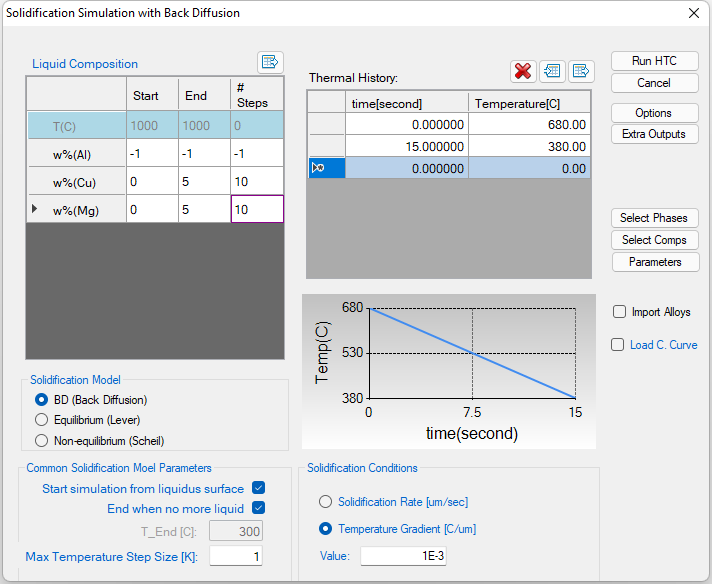
Figure 5.3.2: Dialog to setup compositional space and solidification conditions for HTC
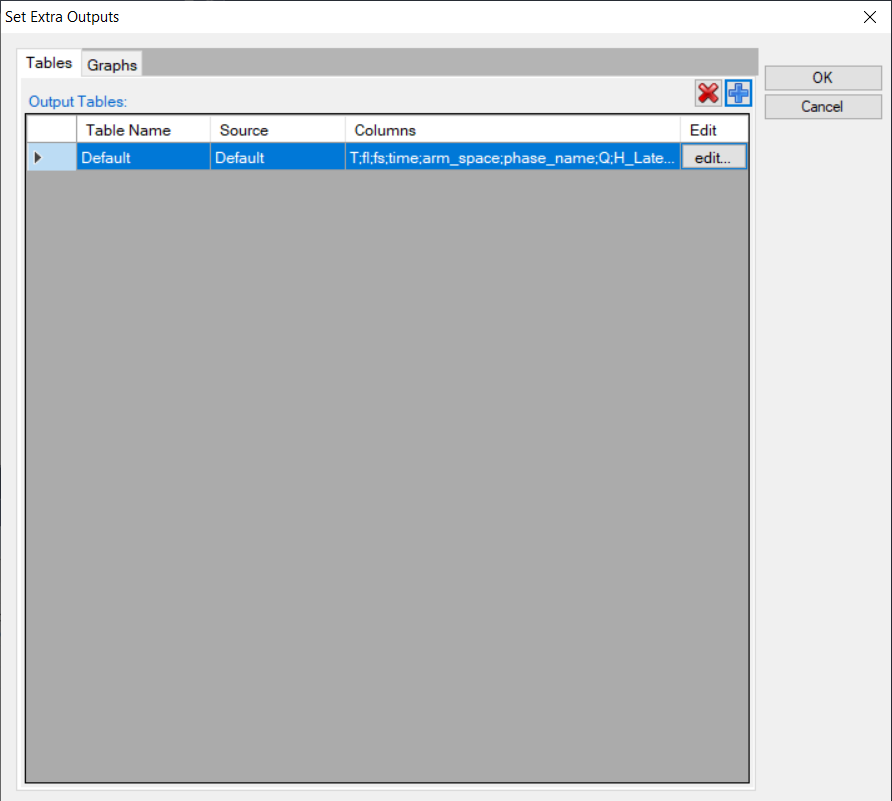
Figure 5.3.3: Extra Output interface
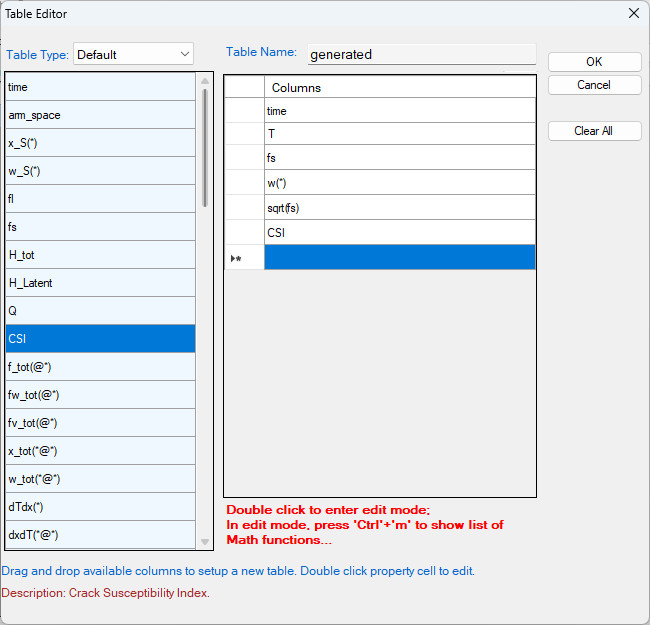
Figure 5.3.4: Define properties in the extra output table
Post Calculation Operation: Result Analysis
- After all calculations are completed, analyze the results via "Batch Calc → Result Analysis". Select the high-throughput calculation workspace as shown Figure 5.3.5. Then click "Continue".
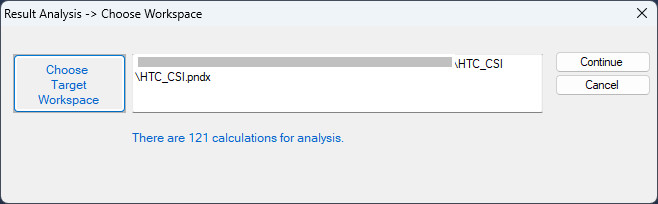
Figure 5.3.5: "Result Analysis" popup dialog to choose target workspace
- Define the criteria of the properties as filters for result analysis. As shown in the following Figure 5.3.6, analysis the “generated table”, set the condition to find the CSI for each alloy composition, i.e., CSI = MAX(CSI) at sqrt(fs)< 0.99;
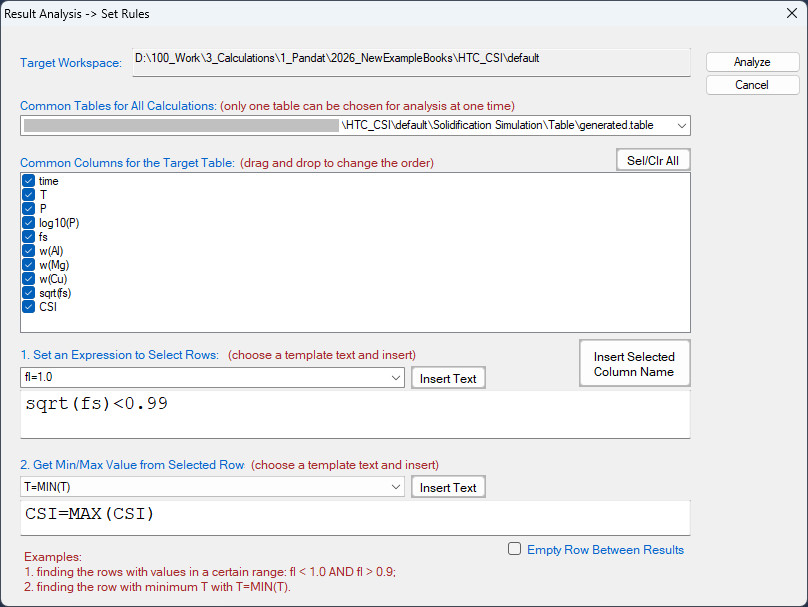
Figure 5.3.6: Criteria for Cracking Susceptibility Index setting from solidification results analysis
- After results analysis, a table which list CSI = MAX(CSI) for each alloy composition is generated as shown in Figure 5.3.7; Unselect the "Empty Row Between Results" to avoid empty lines between data.
- Select w%(Cu) as X-axis, press Ctrl then select w%(Mg) and CSI as Y-axis and Z-axis, respectively, click
 on the tool bar to generate Figure 5.3.8 which shows the crack susceptibility map for Al-Cu-Mg alloys with cooling rate of 20 K/s;
 - The simulated result is comparable with the experimental results shown in Figure 5.3.9.
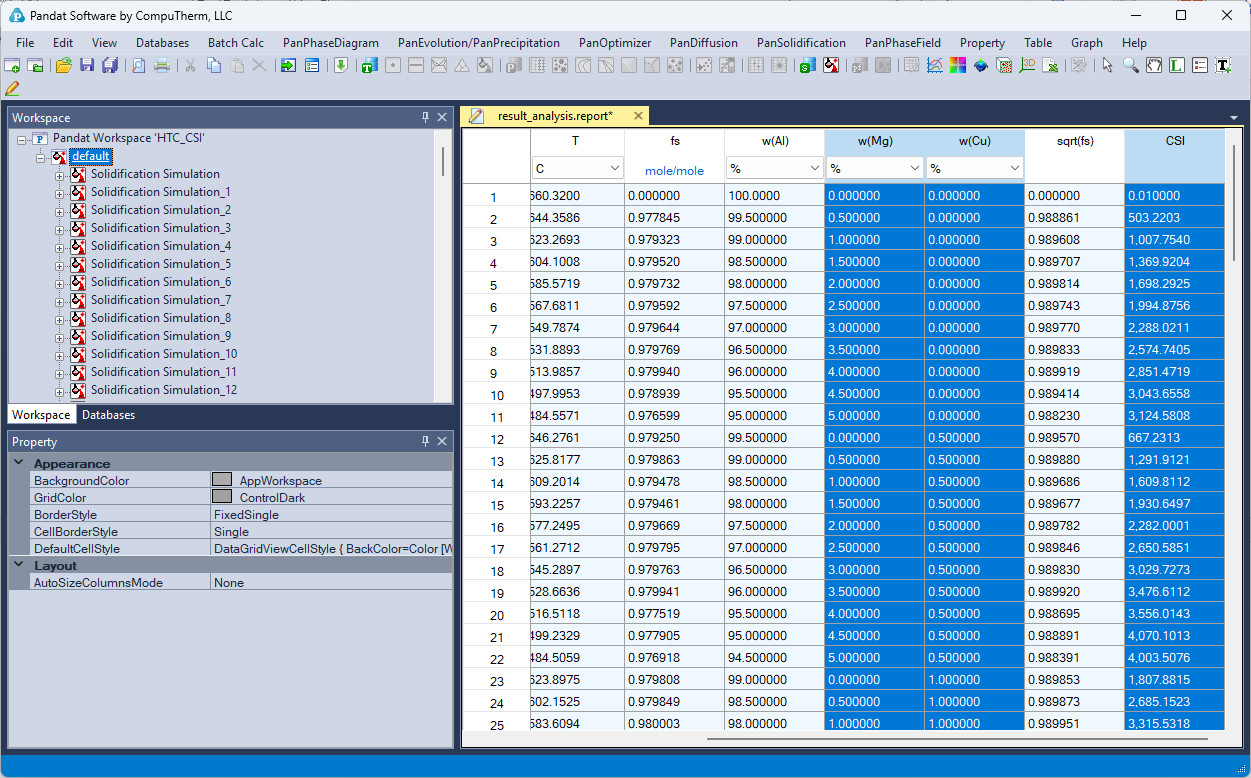
Figure 5.3.7: A table which lists the CSI = MAX(CSI) for each alloy composition is generated after the results analysis
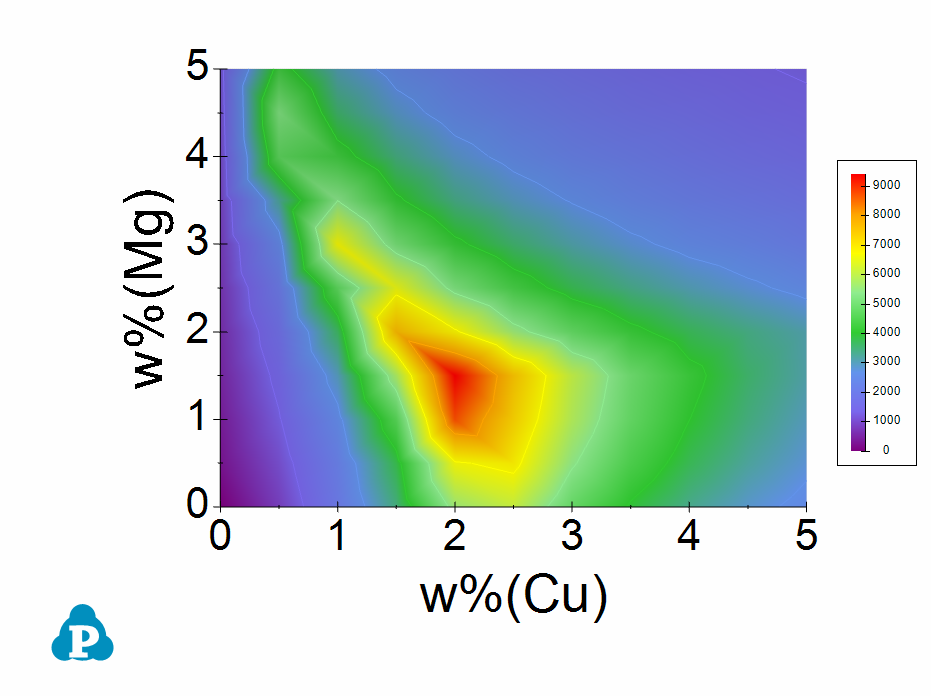
Figure 5.3.8: Al-Cu-Mg crack susceptibility map with cooling rate of 20 K/s
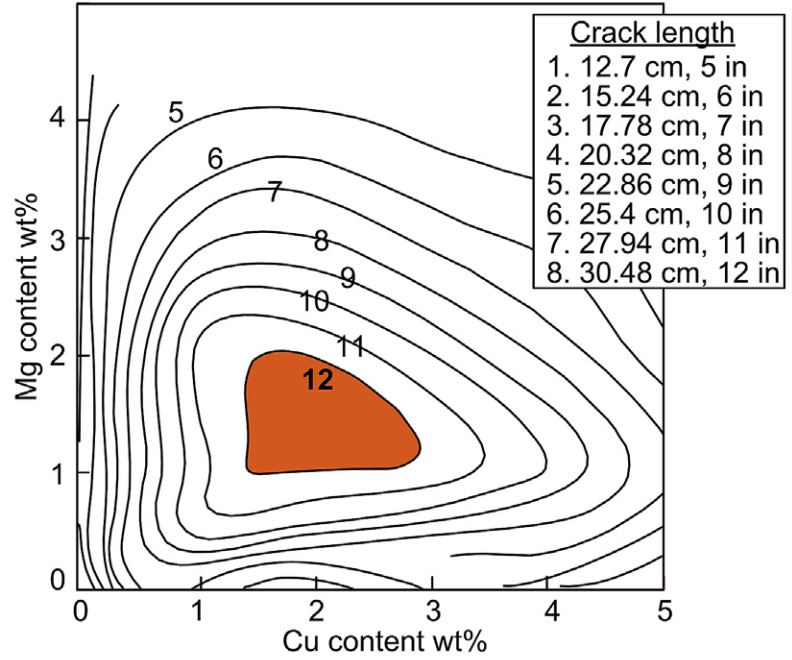
Figure 5.3.9: Experimental crack susceptibility test results