
Example 1.27: Para-equilibrium Phase Diagram
Purpose: Learn to perform phase diagram calculations in para-equilibrium condition with fast diffusion elements.
Module: PanPhaseDiagram
Thermodynamic Database: Fe_Demo.rtdb
Batch file: Example_#1.27.pbfx
Background: In certain systems, some interstitial elements, such as C and N, diffuse much faster than others. Therefore, those elements can be treated as “mobile” components, while the others are treated as immobile components. The common case is the austenite to ferrite reaction in steels by a rapid carbon-diffusion controlled process.
Calculation Procedures:
- Load Fe_Demo.rtdb following the procedure in Pandat User’s Guide: Load Database, and select Fe, C, Ni three components;
- Perform a Section Calculation from PanPhaseDiagram, and set the calculation condition as shown in Figure 1.27.1;
- Click the “Select Phases” icon, and suspend the “Graphite” and “Diamond” phases, by click the
 icon move them to the “Suspended Phases” column, as shown in Figure 1.27.2;
 - Click “Mobile Comps.”, set “C” the mobile component as shown in Figure 1.27.3;
- After properly selected the C as mobile component, then click OK, it returns to the calculation condition window as shown in Figure 1.27.4. The mobile element is highlighted with orange color.
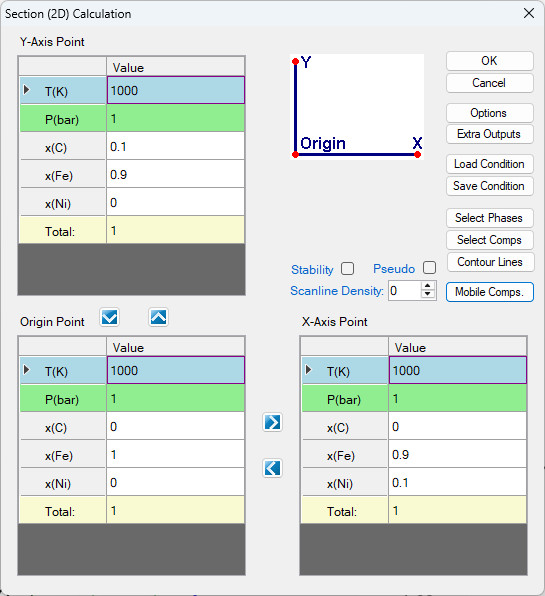
Figure 1.27.1: Normal 2D calculation of an isotherm of Fe-Ni-C at 1000 K
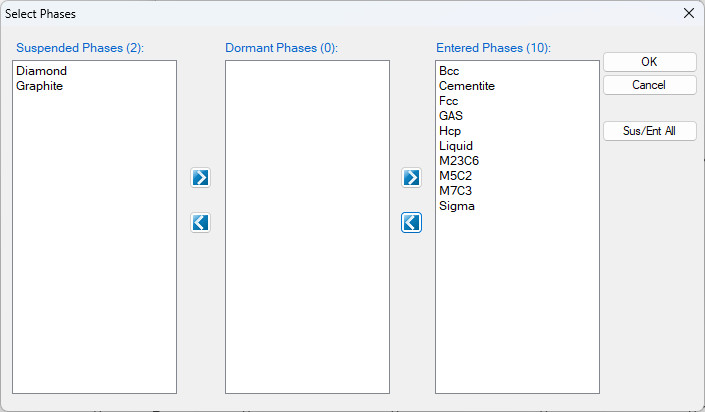
Figure 1.27.2: Suspend Diamond and Graphite phases.
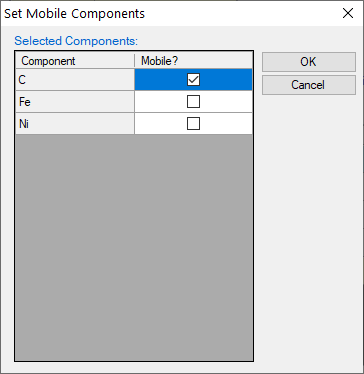
Figure 1.27.3: Set mobile components
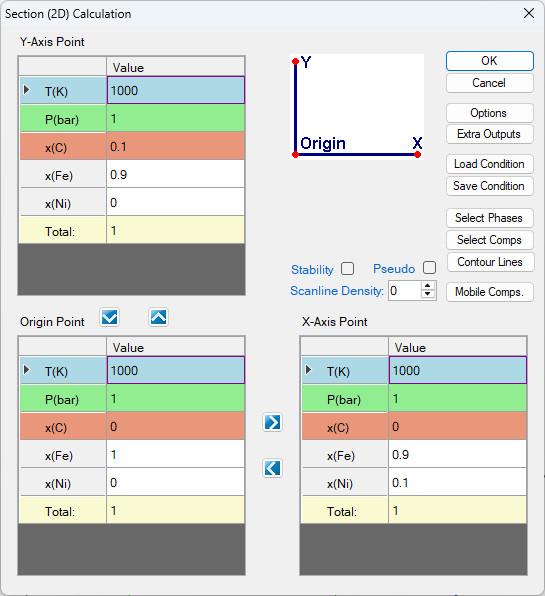
Figure 1.27.4: Calculation condition of para-equilibrium isothermal section of Fe-Ni-C at 1000 K
Post Calculation Operation:
- Change graph appearance following the procedure in Pandat User’s Guide: Property;
- Label the graph following the procedure in Pandat User’s Guide: Icons for Graph on Toolbar;
- The Para-equilibrium isothermal section is shown as Figure 1.27.5
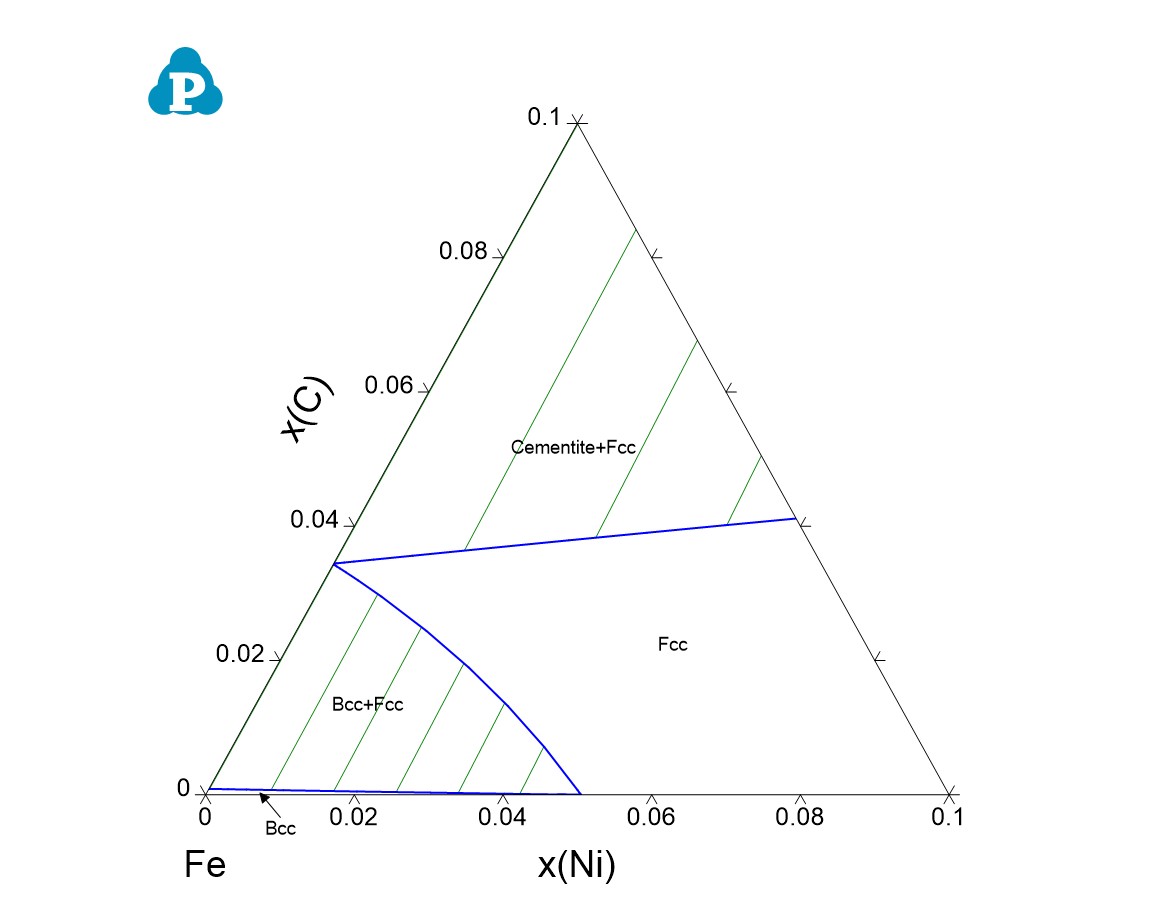
Figure 1.27.5: Calculated para-equilibrium isothermal section of Fe-Ni-C at 1000 K